

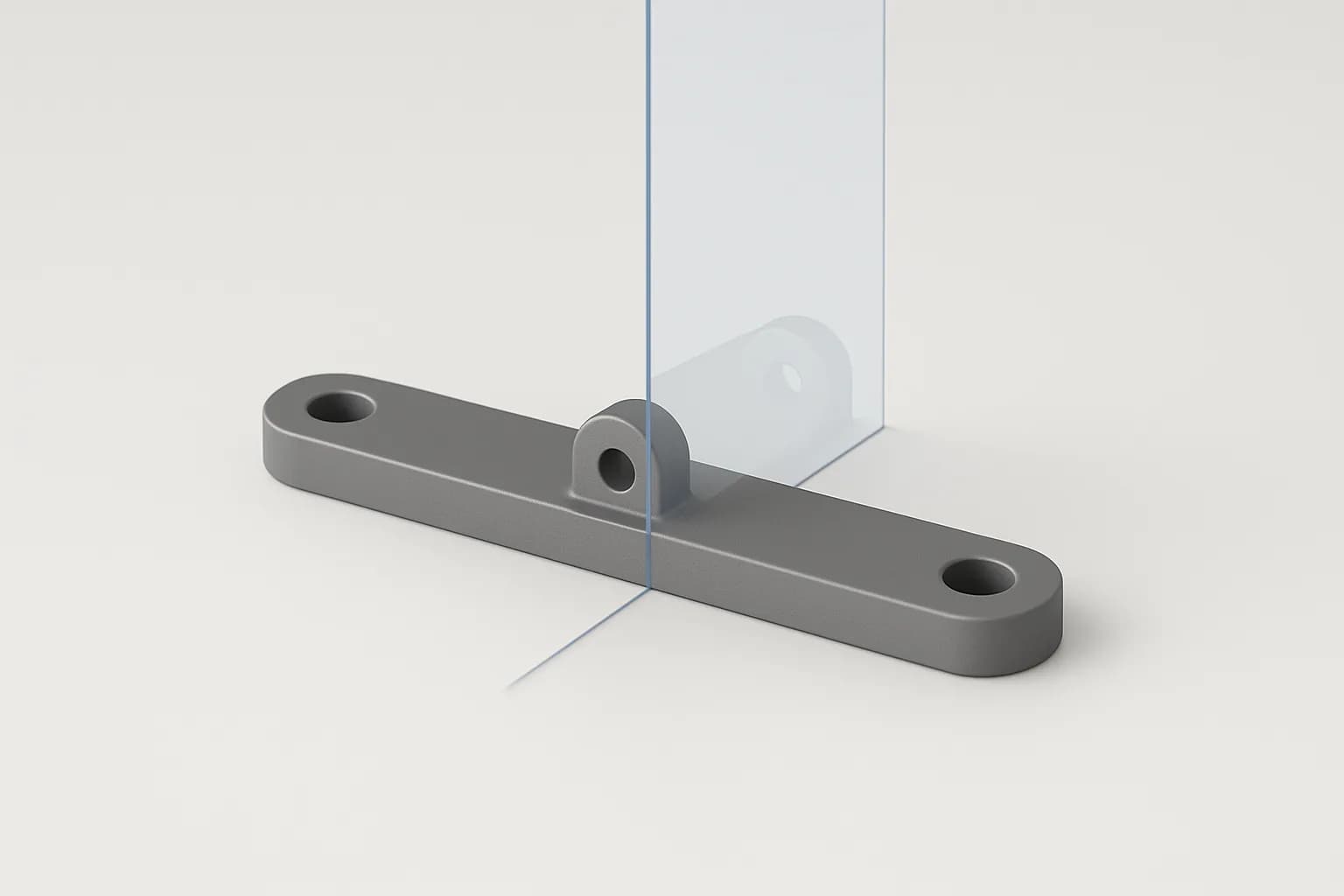
Zenve3D 0.11.0 ships Mirror. Model one half of a bracket, a case or a clip, pick the plane through the middle, press Create, and the other half is there — as features that replay on the far side, or as a body copied whole. Edit the half you drew and the mirror follows, because it is a row on the timeline, not a copy you pasted.
It mirrors features, not just shapes
The choice that matters most is under Objects: Features or Bodies.
Features is the default, and it is what makes a mirror worth more than a copy. Pick a boss, a hole and the fillet on the boss, and the far side gets a boss, a hole and a rounded boss — each replayed with its own operation. A mirrored cut carves. A mirrored join grows. Nothing is baked: change the hole's diameter and both holes change, because there is still one hole in the recipe and the mirror repeats it.
Bodies copies a body as it stands, whole. Pick the body in the viewport and choose whether the copy lands as a New Body or is Joined into the one it came from. A box mirrored about its own end face and joined is one box, twice as long.
Under the hood this is the pattern feature with one copy and a reflection instead of a step, and it takes the pattern's seeds: extrudes, revolves, sweeps, and a fillet or chamfer on a body one of those seeds shapes. A shell, a move or a combine is not a seed, and the panel says so rather than mirroring what it can.
How to use it
Mirror is on the Solid tile next to Pattern, key I.
- About — tap a plane or a flat face. The three origin planes, any plane feature, or a planar face of the part's own body. A curved face does not take the pick.
- Objects — Features or Bodies.
- Mirror — for features, tap rows in the timeline; for bodies, tap them in the viewport. Add or remove as you go.
- For bodies, Operation — New Body or Join.
- Press Create.
The ghost follows every pick, so the reflected half stands in the viewport before you commit. A pick the mirror refuses draws nothing and says why.
The plane is a reference, never a number. There is no distance to type and nothing to keep symmetric by hand: move the face the mirror stands about, or re-dimension the sketch that placed the plane, and the mirrored half moves with it.
Example: a mounting bracket
A flat bar with a raised boss and a bolt hole at each end.
- Sketch the bar,
bar_lengthbybar_width, straddling the XZ plane. Extrude it. - On one end only: sketch a boss on the top face, extrude it joined, fillet its top edges, sketch a circle at its centre and cut a hole through.
- Mirror: About XZ, Objects Features, tap the boss, the fillet and the hole on the timeline. Create.
The far end has a rounded boss with a hole through it. Change the hole's radius and both holes follow. Change bar_length and both bosses stay at their ends, because the mirror plane never moved.
Example: a symmetric clip
Half a U-shaped cable clip, mirrored into a whole one.
- Sketch half the U on XY, the flat end lying along an axis. Extrude it.
- Mirror: About the flat end face of the body, Objects Bodies, tap the body, Operation Join. Create.
One body, one clip, and the wall thickness is one dimension that shapes both halves.
Use the midplane for the other common case: two bodies already in place and a mirror wanted halfway between them. Plane ⟩ Midplane puts a datum exactly between two faces with nothing to type, and a mirror about it stays centred when either face moves.
A mirrored cut carves and a mirrored join grows, because the mirror repeats the feature, not the shape it left behind.
You can sketch on the mirrored side
The faces a mirror creates are named, the way a pattern's instances are. Host a sketch on the mirrored boss, cut a slot into it, and the slot survives a rebuild that moves the seed — the sketch rides the reflected face's frame, righted so its normal still points out of the part.
One exception: a copy of a copy. Mirror a body, then mirror the result again, and the second copy's derived faces are unnamed. One reflection per name.
Honest limits
A mirror stays inside one part. The plane, the seeds and the body all belong to the active part; a face of another part is refused, and mirroring a whole part is not a thing yet — duplicate the part and mirror its bodies instead.
A thread is not a seed. Mirror the boss it rides and thread the copy.
Suppressing a seed fails the mirror with a sentence rather than quietly mirroring what is left; unsuppress it and the copies come back. A joined body copy that never meets its body is a warning, not a failure: the join happened and the body is two lumps, which is sometimes what you meant.
The sketch already had a mirror of its own — draw a line, pick the ink, mirror it across — and that is unchanged. It is a different tool: ink across a line, inside one sketch. This one is the solid.
Scripting it
If an agent is building the part for you, the .zcmd line is one verb, no dimension:
mirror $boss $round $hole about XZ -> $m
mirror body $box about face($box, facing (1, 0, 0)) join -> $m
The first repeats three features about the XZ plane; the second copies a body about its own +X face and joins it, giving one box twice as long. The scripting post covers the rest of the grammar.
What's next
Mirror landed in 0.11.0 beside a bigger Extrude — one side, two sides or symmetric, each side to a face or all the way through — and Canvas, a picture on a plane you sketch over. Mirroring a whole part, and a thread as a mirror seed, are the two guards most likely to lift next.