

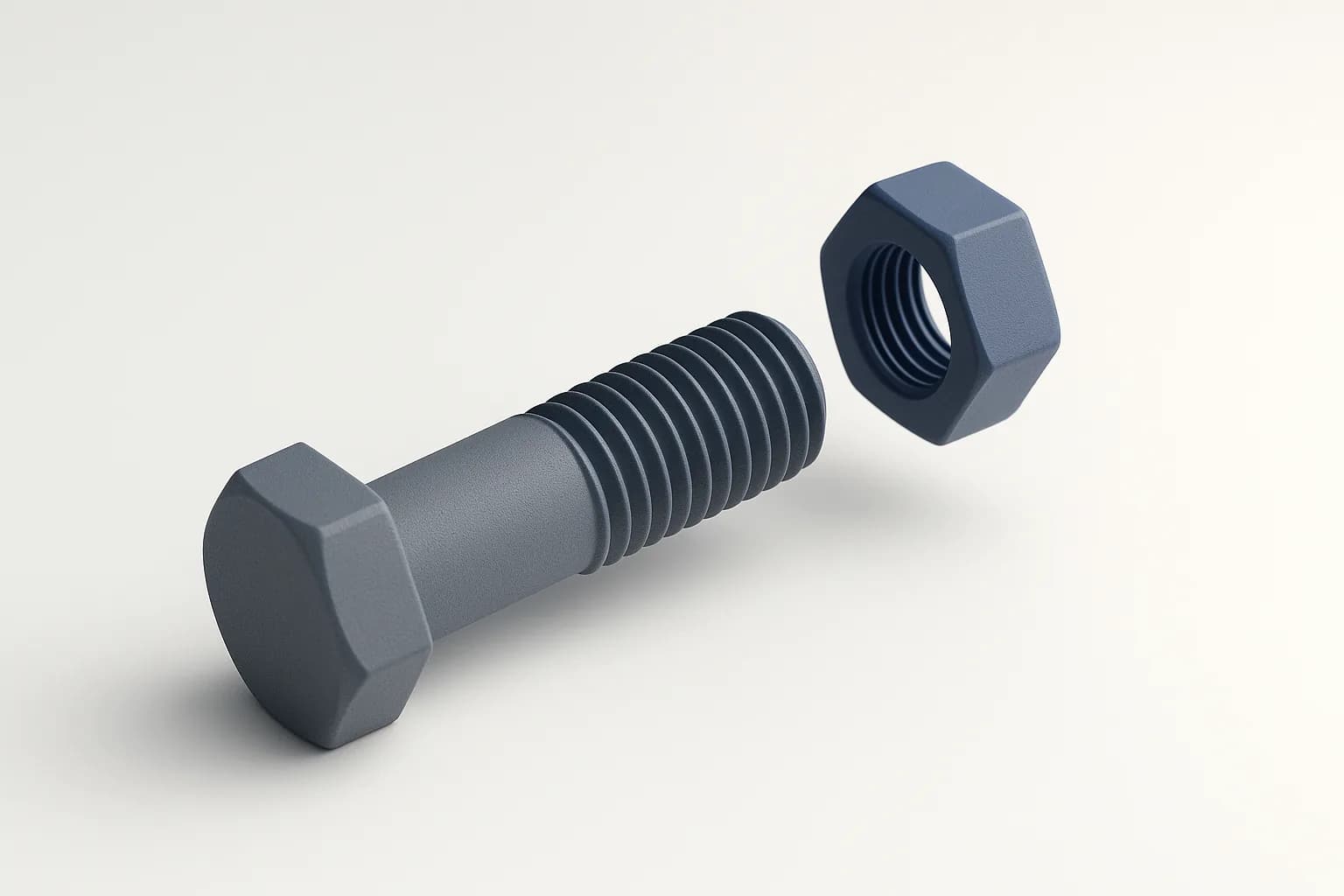
Zenve3D 0.9.0 ships threads. Pick the cylindrical face of a boss or a hole, press Create, and the part gains a real helical thread — geometry the slicer sees, not a texture painted on. Presets fill in the metric pitch from the face's diameter, and a clearance field makes a printed bolt fit its printed nut.
It reads boss or hole off the face
The design decision worth knowing first: a thread has no "external or internal" setting. You never say which one you want. A boss gets a groove cut into it, a hole's wall gets a ridge fused onto it, and the app reads which of the two applies from the face itself, at every rebuild.
That sounds like a convenience and is actually a correctness rule. A stored flag can go stale — edit the part so a boss becomes a bore and the flag now contradicts the geometry. A reading cannot. It also means a boss and a hole threaded with the same pitch mate, because the same profile was cut from one and raised in the other.
How to use it
Thread is on the Solid tile, key T.
- Tap a cylindrical face — the side of a boss, the wall of a hole. Faces that aren't cylinders don't take the pick. You can add more faces of the same body to thread them together.
- The panel shows the face's Diameter and prefills the Preset to the nearest metric coarse size — an 8 mm boss reads M8 and its pitch,
1.25, lands in the Pitch field. Pick another preset or type your own pitch; the picker just types the number for you. - Length defaults to the face's full height and is clamped to it, so a generous number threads the whole face.
- Offset is the printing clearance, prefilled at
0.15mm. It moves the flanks so a printed bolt and nut clear each other;0gives nominal ISO. - Press Create.
Two toggles under Direction: Left-handed winds the helix the other way, and Reversed starts the thread from the face's far end instead of the near one — which matters when the length stops short, like a bolt threaded only at its tip.
The picked faces light as sleeves while you set things up. There is no ghost preview, and that is deliberate: a helical boolean costs about a quarter of a second, and a quarter second per keystroke is not a ghost. The feedback is the highlight, then the live rebuild.
Example: a threaded lid
A round electronics enclosure with a screw-on cap.
- Model the body with a boss at the top,
lid_diameteracross, and the cap as a separate part with a bore of the same diameter. - Thread the boss: one tap on its side, M-preset prefilled, clearance
0.15. Create. - Thread the cap's bore with the same pitch. The boss got a groove, the bore got a ridge, and nobody had to say so.
Change lid_diameter and both threads rebuild on their new faces. Change the pitch parameter and both follow, so the parts keep mating.
Example: a knob on a potentiometer shaft
Standoffs and knobs are the small parts that eat an afternoon in another app.
- Sketch a circle, extrude it into a boss.
- Thread the boss with the pitch of the nut you have in the drawer —
M6 (1 mm)is a real choice from the preset list, or type the pitch of a non-standard one. - Print, and the off-the-shelf nut spins on.
Because the thread rides the face's own radius, a boss you modelled as 7.8 mm to compensate for your printer still gets M8's pitch. The preset reads the nearest size; it never resizes the face.
Why there is a clearance field
The ISO profile is a 60° form, and Zenve3D cuts it as such. But a filament printer lays down a bead with width and slop of its own, and a nominal bolt in a nominal nut usually seizes or won't start. The Offset field takes that clearance off the flanks: an external groove gets deeper, an internal ridge gets shallower, and a bolt and nut printed with the same offset clear by twice it.
The default of 0.15 mm is the common FDM starting point. If your printer runs tight, raise it; for a resin printer or a machined mate, drop it toward 0. The clearance is an expression like everything else, so a print_clearance parameter can drive every thread in the project.
A boss and a hole threaded with the same pitch mate, because the same profile was cut from one and raised in the other.
Honest limits
A thread is the most expensive thing the kernel builds — seconds where an extrude is milliseconds — so past 64 turns the feature fails with a sentence rather than hang the rebuild. A clearance that eats an internal ridge whole at a fine pitch fails the same way.
The faces a thread creates are unnamed. Nothing can reference a helical flank: no sketch on it, no mate to it, no fillet on its edges. Every face the body already had keeps its name, so features standing on the body survive — but thread last, or at least after everything that depends on the face it rides.
Sectioning a long thread works, and got a fix in the same release: dragging the section plane no longer freezes the app, and a lengthwise section of a 29-turn bolt takes about five seconds rather than never finishing.
Scripting it
If an agent is building the part for you, the .zcmd line is one verb:
thread face($body, 2) pitch "1.25" length "12" offset "0.15"
The presets don't exist at this level, on purpose — an M8 chosen in the panel and a 1.25 typed by hand write byte-identical recipes. The scripting post covers the rest of the grammar.
What's next
Threads landed beside the sweep — a profile carried along a sketched path — and a slot tool in the sketch, all in 0.9.0. A swept face can't host a sketch or a mate yet either; those two guards are the ones most likely to lift next.